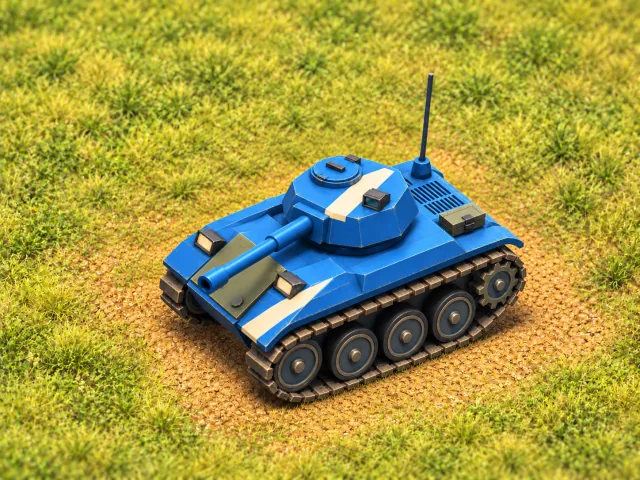
Light
- Health
- 5 HP
- Mobility
- Fastest
Speed & opportunity
Reposition quickly, find an opening and choose your moment. A smaller health reserve makes every exchange a commitment.
 Fury Tanks
 / Field guide
From your first shot to a well-timed push. A practical guide to the tanks, tools and decisions that win a round.
01 / Start here
Two teams. Three lives per tank. Keep your team in the fight until your rivals run out.
Choose a 2 vs 2 or 3 vs 3 battle. Play offline with bot allies and rivals, or join an online room with players across Mac, iPhone and iPad. Bots fill empty online seats.
Blue is your team, red is the enemy. Drive toward cover and point your turret at the approach you want to watch. You can drive one way while aiming another.
Every participant gets a light, medium and heavy tank, one per life. Their order is shown beside your name. A new tank returns with full health, a cannon and one mine.
Remove all of the enemy team's lives to win. There is no time limit. Local play moves through a series of battlefields; online rooms stay on the same battlefield from round to round.
02 / Know your tank
Health, speed and size change between classes. Cannon damage, reload and turret speed do not. You get all three classes over your three lives, in a shuffled order.
Speed & opportunity
Reposition quickly, find an opening and choose your moment. A smaller health reserve makes every exchange a commitment.
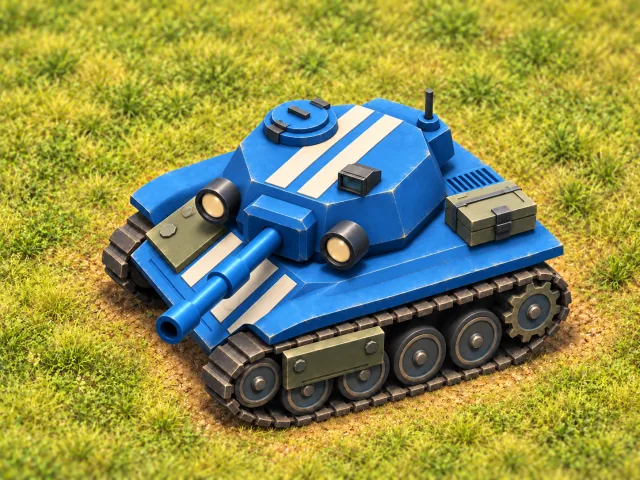
A balance of both
Combine mobility with a larger health reserve. Adapt to the next fight and keep your options open.
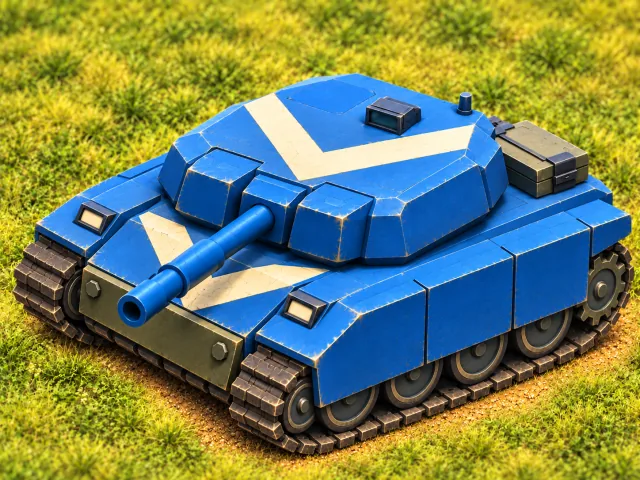
Health & commitment
Bring more health to the engagement. Plan the approach and the way out: relocating takes longer.
A shell takes one health point. A direct rocket hit takes three; nearby enemies take one from the blast. A mine destroys a tank outright. Your own shots pass harmlessly through teammates.
03 / Prepare the shot
The hull moves up, down, left or right. The turret aims freely and takes time to turn. Prepare the barrel before you round a corner; keep it on a pursuer as you pull away.
Shells follow the direction the barrel is pointing when you fire. They travel straight and have a limited range. Hold fire to shoot again as soon as the cannon reloads.
In an offline battle, drive past a crossing while keeping the turret pointed down the side street. Moving and aiming are two separate decisions.
04 / Read the battlefield
Your turret reveals the ground ahead, and nearby ground around your tank is visible in every direction. Walls and forest still block sight. You also see what living teammates see, so covering different approaches gives everyone more information.
Outside your team's view, the scenery is dimmed and hidden enemies, shots and crates are not shown. Forest can conceal a tank; watch the HIDDEN or SPOTTED label to know whether rivals can see you.
Walls, houses, containers and concrete break section by section. Rubble can be driven over, opening routes and firing lanes. Permanent landmarks stay standing; their windows can break.
Steel stops cannon shells but can be broken by a rocket. Deep water blocks tanks, shallows slow them, and bridges give you a crossing. Low obstacles can stop a tank without stopping its shots or sight.
Cover a different street from your teammate. When a rival ducks behind a breakable wall, decide whether to go around it or remove the cover.
05 / Make the next encounter different
Your cannon has unlimited shells. Extra equipment comes from supplies: contest the landing, protect a teammate collecting it, or intercept a rival on the way.
A slower, longer-reaching shot with a larger explosion. A direct hit can flatten a wall or house section and break steel. Rockets reload separately from the cannon; solid walls can shield tanks from the blast.
You start each life with one. Stand still to plant it; moving or firing cancels. After arming, it waits for an enemy to drive over it. You can keep two on the field. Mine sightings are shared with your team.
Pick one up from a supply crate, then stop briefly to launch it. A combat drone searches for a target and pursues it through cover, dealing three health points on impact. Its flight is limited, so launch when an enemy is close enough to reach.
Restore three health points, up to your tank's maximum. Health does not regenerate on its own. A tank at full health leaves the medkit for someone who needs it.
Automatically blocks one direct rocket or combat-drone hit, then the charge is consumed. It does not make you immune to cannon shells or mines.
Central crates arrive by cargo drone or parachute, with beacons marking the landing for both teams. Anyone can collect them once they touch down. Cargo drones deliver supplies; they do not attack tanks.
Your rear crates alternate between rockets and mines. Their color shows which team can take them; rivals cannot collect them.
06 / Take control
Touch on iPhone and iPad. Keyboard and mouse on Mac. A compatible gamepad on either. The in-game Field Manual is always available from the book button.
Swipe the table to compare controls.
| Action | Touch | Keyboard & mouse | Gamepad |
|---|---|---|---|
| Move | Left stick | WASD / arrows | Left stick / D-pad |
| Aim | Drag right stick | Mouse | Right stick |
| Fire | Lift right stick; tap to fire in the current direction | Click / Space | X / right trigger |
| Rocket | Rocket button | Right click / 0 | Y |
| Mine | Mine button | B | A |
| Combat drone | Drone button | F | Left bumper |
| Pause | Pause button | Esc on Mac | Menu |
Gamepad letters use the Xbox-style layout. Touch aiming can be adjusted in Settings.
Need help with your device?Back to the battlefield
See real battles, explore the game and take your next shot.
Watch gameplay Back to guide contents ↑